One person, all their work — each rep's open leads and tasks on one page
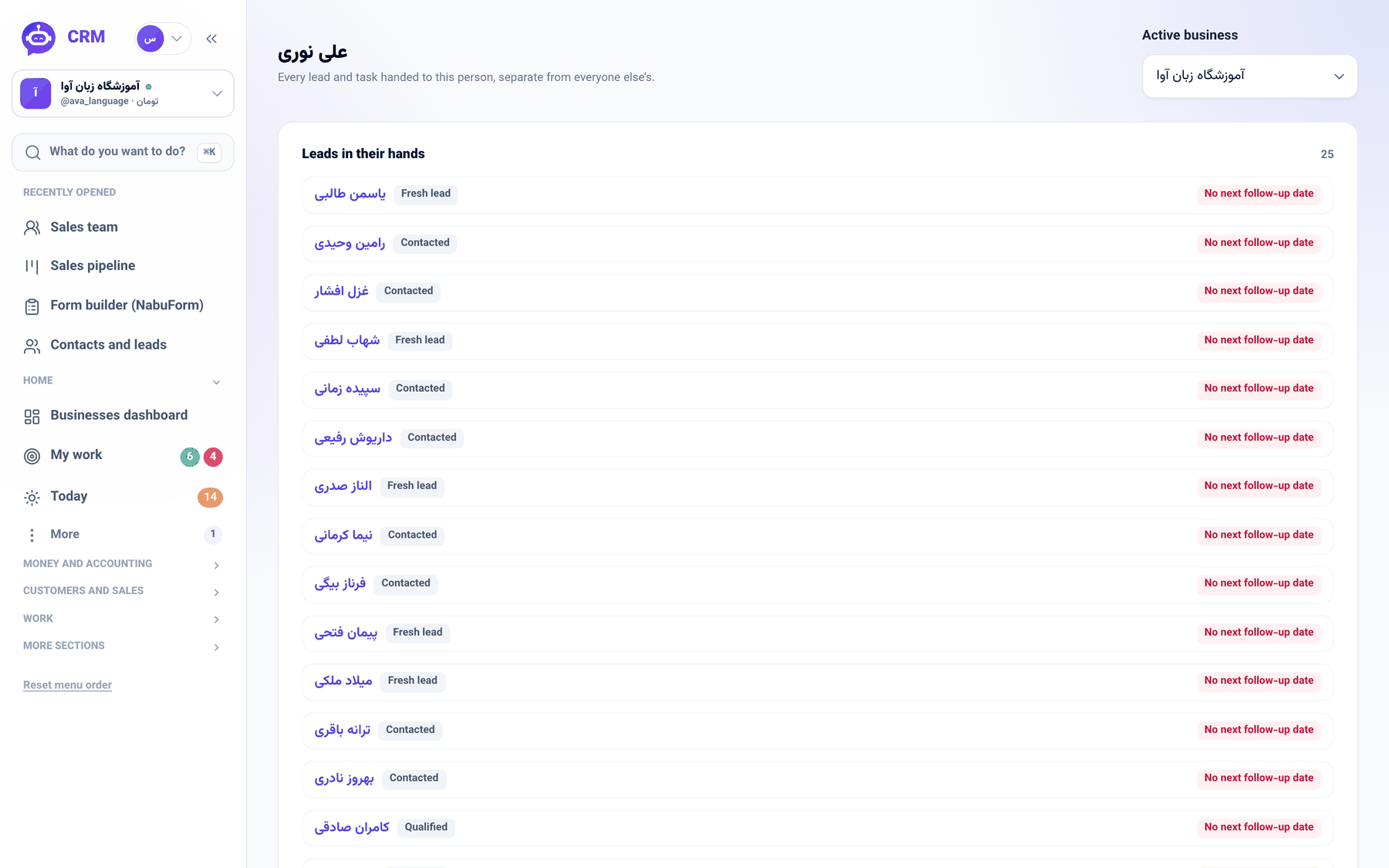
On the Sales reps screen, each person's lead count now opens their own page — the leads in their hands with their pipeline stage, the open tasks assigned to them with project and due date, and a red \"No next follow-up date\" badge beside any lead nobody has promised to call.
Product update 2 min read
What changed
Managing a sales floor comes down, some days, to one question: what does this colleague actually have on their plate? The answer used to be scattered. The Sales reps screen said how many leads each person held, never which; for the leads themselves you filtered the contacts list, for their tasks you went to the project boards, and for the leads with no follow-up coming you combed the pipeline's filter. Three screens for an answer that should take one glance.
Each person now has a page of their own. At the top, the leads in their hands, newest first, each linked to the customer file with its pipeline stage, and a red No next follow-up date badge on any lead with no open follow-up. Below, every open task assigned to them, with its project and due date, the overdue ones in red.
How to use it
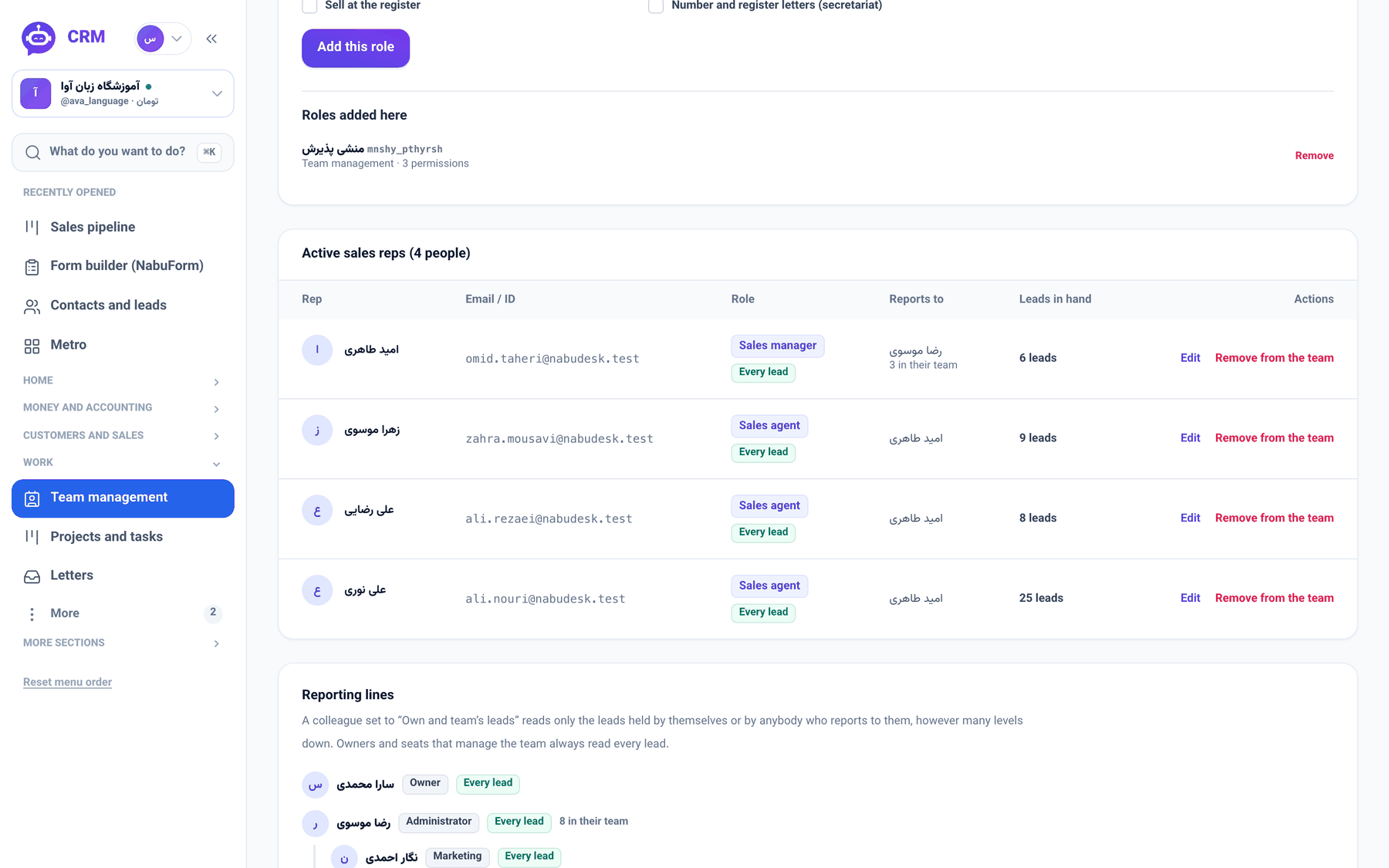
- In the sidebar, under Work, open Team management and switch to the Sales team tab.
- In the active sales reps list, click a person's lead count in the leads column (for example "25 leads").
- Their page shows Leads in their hands and Open tasks assigned to them, with the full count beside each heading.
- Click a lead's name to open its file and give it a follow-up.
Good to know
- The page opens only for the person themselves and whoever manages the team; one salesperson does not read a colleague's numbers.
- Everything is read through your own eyes: a manager whose seat cannot see part of the pipeline does not learn of it here either.
- Of a follow-up the page tells exactly one fact — whether one exists. What was promised, and whose reminder it is, stays with its reader.