Editing a gateway brings its form into view
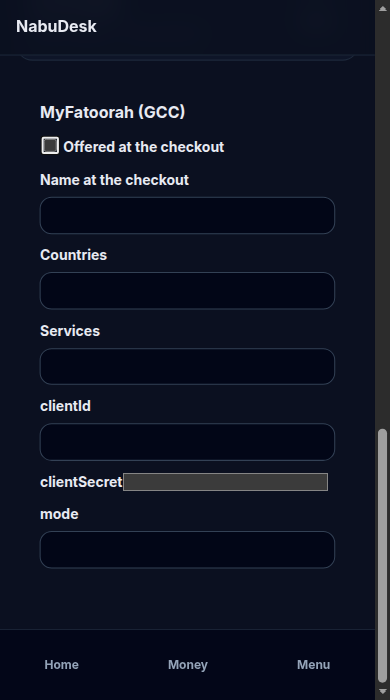
On Payment gateways, Edit moves the page to that gateway's form, rings it for a moment, and puts the cursor in the first field. On a phone the form used to open off screen.
Product update 1 min read
What changed
Pressing Edit on a payment gateway now brings that gateway's form into view. The page glides to the form, a ring flashes around it, and the cursor lands in the first field. The gateway's name is the heading of the form.
On a phone the form sits under the list, so it used to change while you were still looking at the row you pressed. On a wide screen the form sits beside the list, and it could be above the part of the page you had scrolled to. Either way, the heading now clears the top bar and the bottom navigation.
How to use it
- Open Administration, then Payment gateways.
- Press Edit on the gateway you want.
- The page moves to that gateway's form. Fill it in and press Save.
Good to know
- If the device asks for reduced motion, the page jumps to the form and the ring does not pulse.
- This is the administration screen. Who can open it has not changed.
- Saving, enabling, and credentials work as before.