A list tile for Metro — the work itself, with a tick, not just a count
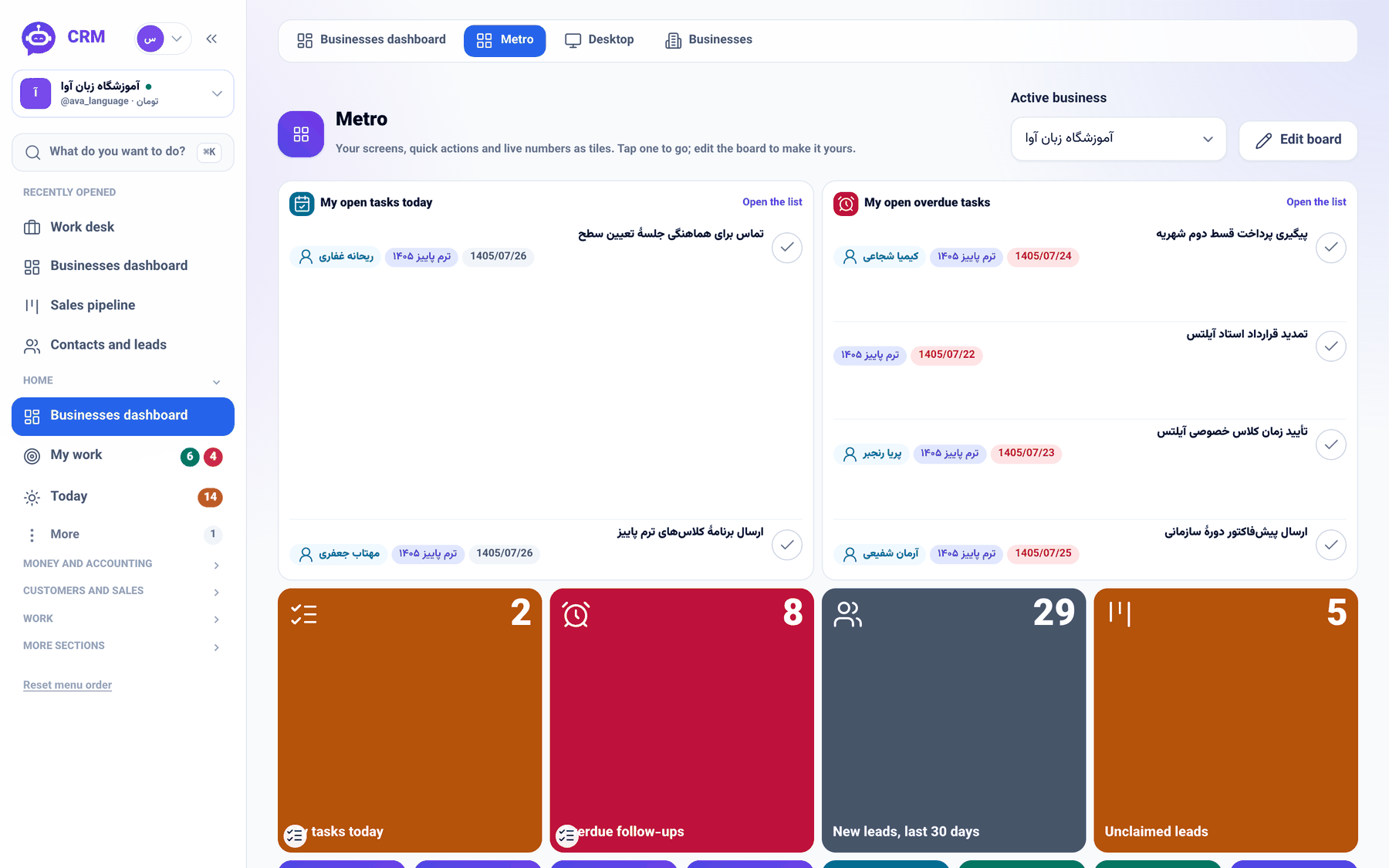
Two new Metro tiles — \"My open tasks today\" and \"My open overdue tasks\" — show the work instead of the number: your own open rows with title, project, customer and due date, each finished by the tick right on the board.
Product update 2 min read
What changed
Metro was built for the glance: tiles that give your day as numbers. But a number only says how many, never what. To see what those two overdue tasks actually were, you left for My work, and once one was done you went back again just to tick it off.
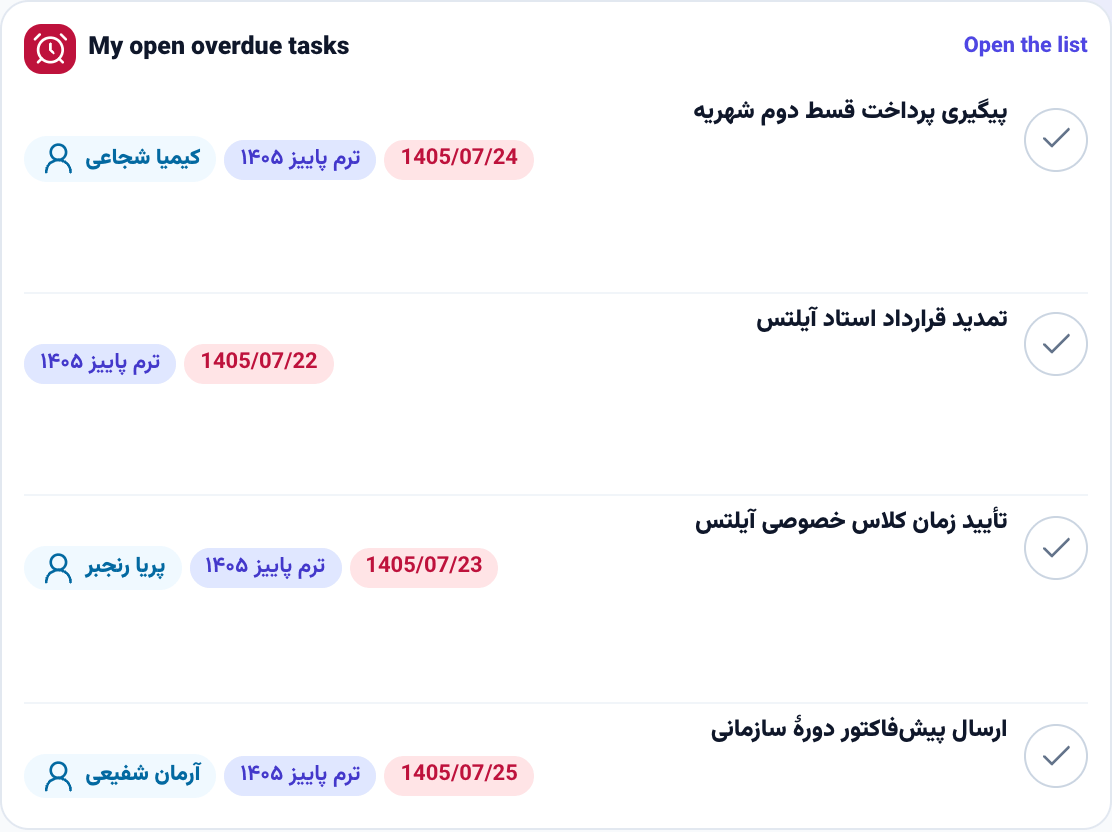
Two list tiles now sit in the tile picker: My open tasks today and My open overdue tasks. Instead of a count, they show your own open tasks row by row — the title, the project, the chip of the customer the task is for, and the due date, red once it has passed. The tick beside each row finishes the task right there on Metro.
How to use it
- In the sidebar, under Home, open Businesses dashboard and switch to the Metro tab.
- Press Edit board, then Add tiles in the edit bar.
- In the Add tiles window, under Lists, pick My open tasks today or My open overdue tasks. Search tiles finds them faster.
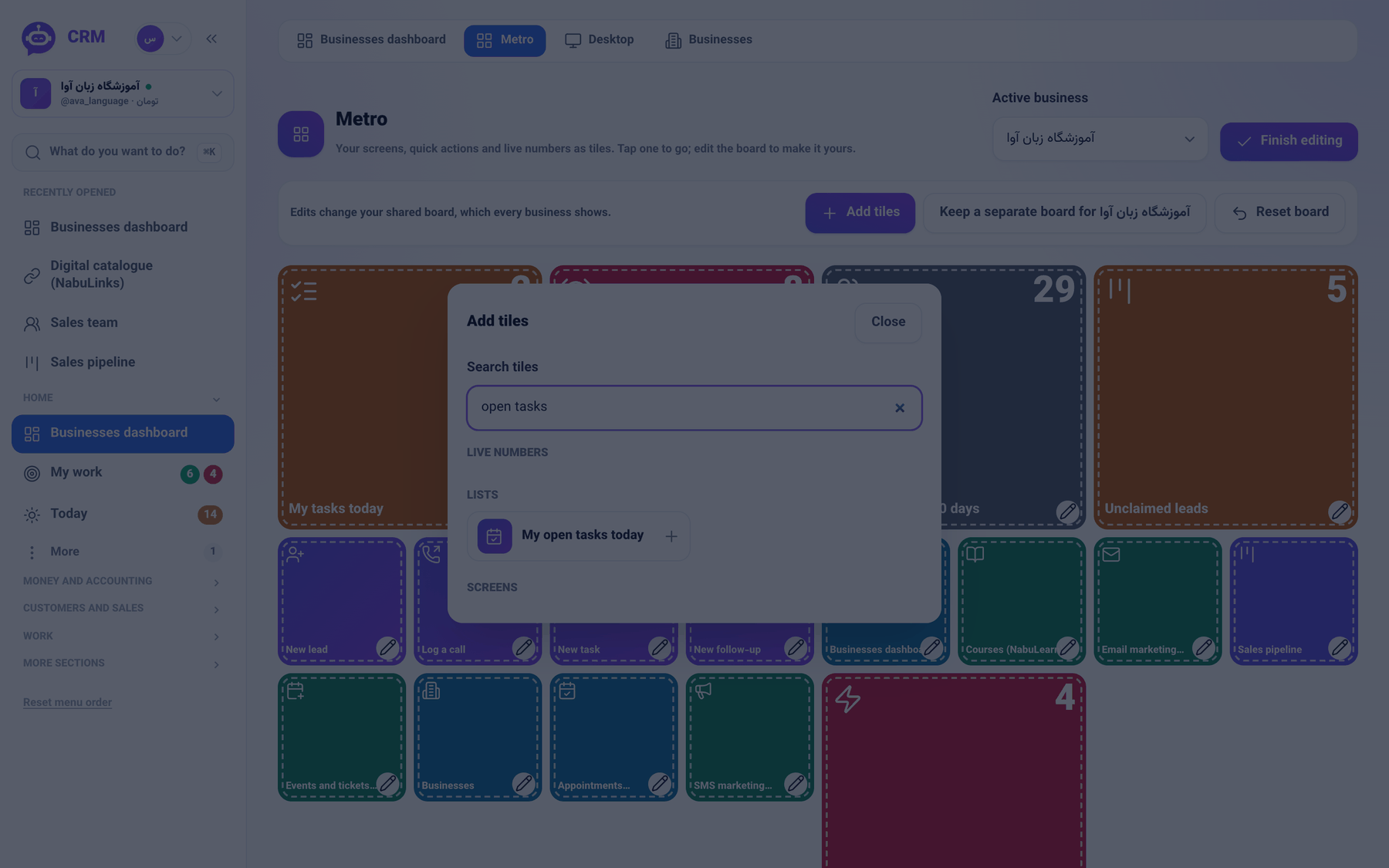
- Press Finish editing. When a task is done, tick it on the tile; the row leaves at once.
- More rows than the tile holds? Open the list takes you to the whole list.
Good to know
- The tick runs the same path My work runs: the same access check and the same move into the project board's done column.
- Metro refreshes itself once a minute, so the rows are always read live.
- A list tile sits wide only, and it is not placed for you by default — that choice is yours. The number tiles stay where they were.
- With nothing left, the tile congratulates you instead of showing an empty list.