Deal figures on the lead sheet: from the rep's estimate to the final sale
The estimated value, the proposal amount and the sale value now live on the lead sheet — kept separately for each business, typed in the business's own currency, with every change written to the lead's history and the estimate shown on the pipeline card.
Product update 2 min read
What changed
Registering a lead always came with one number: the opening purchase amount. After that, the money in the deal had nowhere to live. The rep carries an estimate in their head, the proforma they send carries another figure, and the closing price is a third. A service business, where every job is priced by hand for that customer, kept its real sale figures in a notebook beside the panel, or nowhere at all.
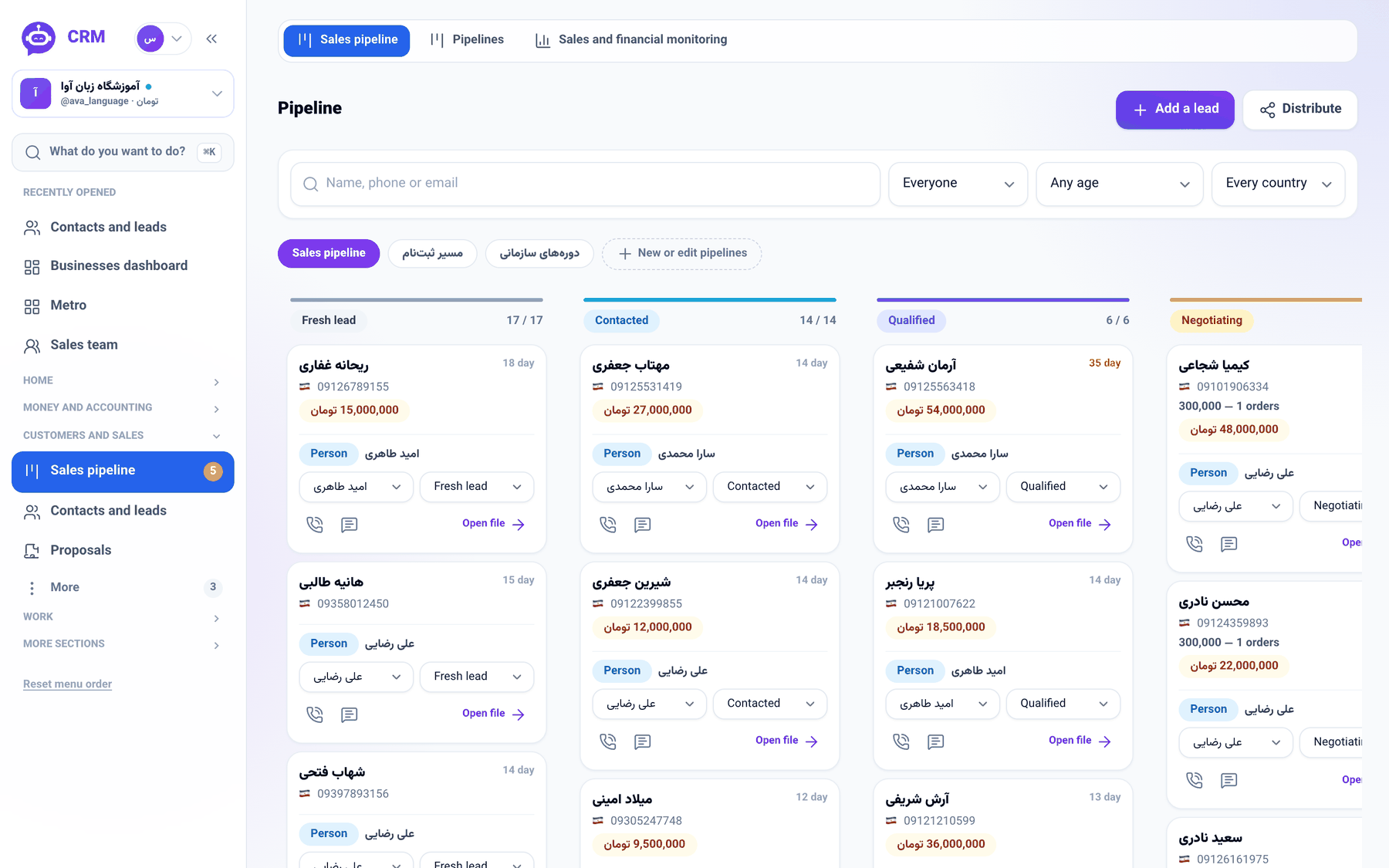
The lead sheet now has a Deal figures section with three independent figures — Estimated value, Proposal value and Sale value — each filled in whenever it becomes known; an empty one means "not said yet", never zero. On the pipeline, every card with a recorded estimate shows it, so the board says not only how many deals sit in each stage but what they are worth.
How to use it
- Open the lead — Open file on its pipeline card, or its name on the contacts list.
- In the file's side column, beside Deal figures, press Record the deal figures (it reads Edit the deal figures once something is recorded).
- Fill whichever of the three you have, in your business's currency, and press Save.

- The figures appear under the heading, and every change lands in the lead's history with the previous and the new amount.

Good to know
- Figures are kept per business: when two businesses work the same person, each sees and writes only its own.
- You type the amount in your business's currency; it is stored in the shared base currency, so reports stay consistent whatever you charge in.
- The value chip appears on a pipeline card only once an estimate is recorded.
- Recording figures needs a seat that may edit leads in the business the file is filed under.